All guides
Monthly Remittance Return of Income Taxes Withheld on Compensation
1601Cv2018: who files, deadline and how to file
BIR Form 1601Cv2018, often called 1601-C or 1601C: who files it, its monthly deadline, what each part asks, and how to send it with Tax Techie.
Last checked November 2, 2026
1601Cv2018 (often called BIR Form 1601-C or 1601C), the Monthly Remittance Return of Income Taxes Withheld on Compensation, is the return an employer files each month to pay BIR the income tax it withheld (took out) from its employees' pay. It is due on or before the 10th of the next month (January 15 for December's). In Tax Techie you fill it in, validate it, and send it with Submit / Final Copy.
Who files it, and when
Who: every employer or other person required to withhold tax on compensation, including large taxpayers. They file it every month; Item 3 asks whether any tax was withheld in the month.
When: File it on or before the 10th day of the month after the month it covers. December's return is due on or before January 15 of the next year. If that day is a Saturday, Sunday or holiday, the deadline is the next working day. The next dates are on the deadlines calendar.
Tax Techie doesn't file through eFPS (BIR's Electronic Filing and Payment System). eFPS filers have their own deadlines.
Before you start
- The taxpayer in Tax Techie, with their TIN (Taxpayer Identification Number), RDO (the Revenue District Office they're registered with) and email address. See how to fill in and validate a return.
- The month's payroll totals: the total compensation paid, the non-taxable parts, and the tax withheld.
What each part asks
| Part | Items | What to enter |
|---|---|---|
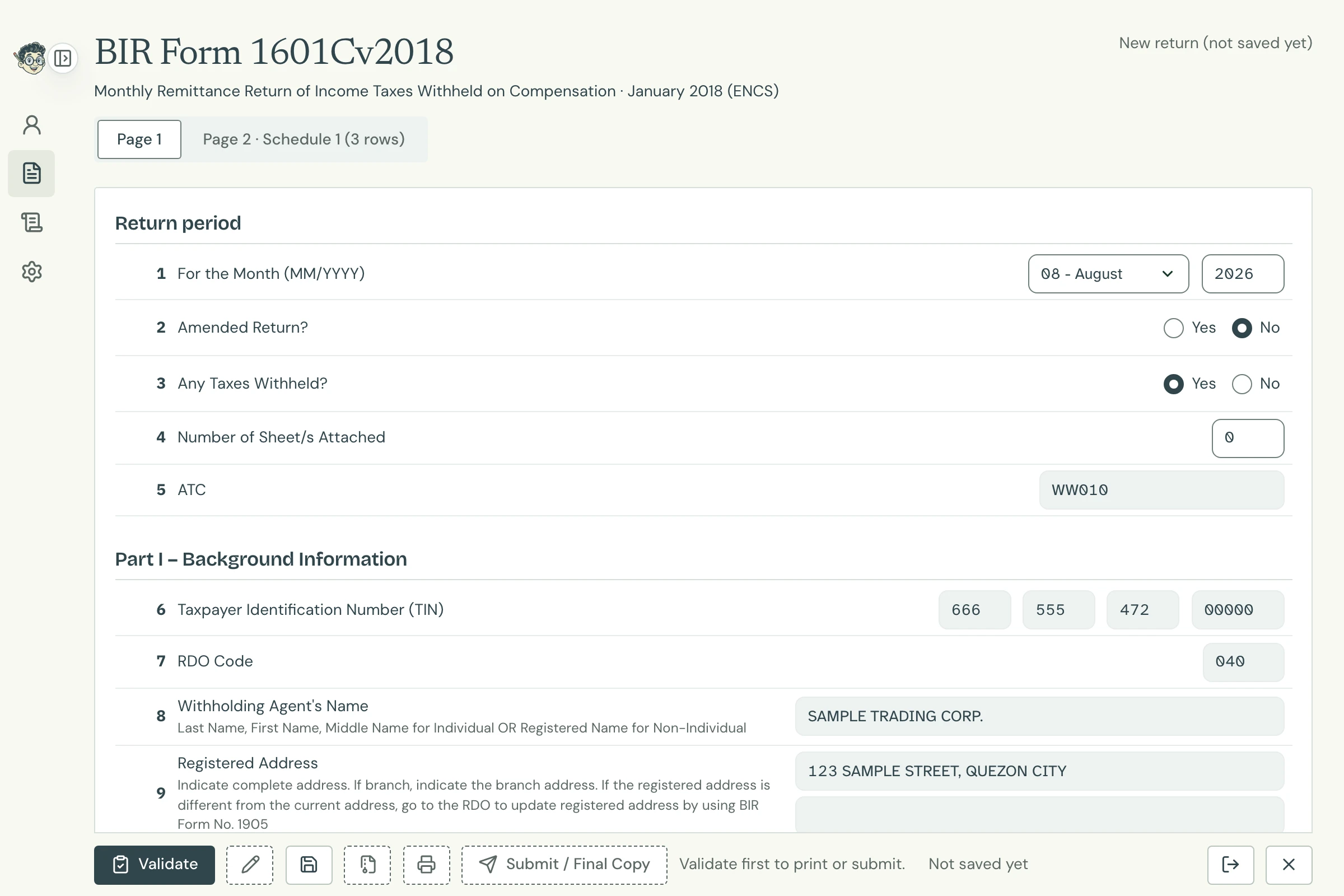
| Return period | 1–5 | The month and year (Item 1); whether it amends a return already filed for that month (Item 2); whether any tax was withheld (Item 3); the sheets attached (Item 4). Item 5, the ATC (BIR's code for the kind of tax), is filled in for you. |
| I. Background Information | 6–13A | From the taxpayer's profile: TIN, RDO, name, address, zip code, contact number and email address (Items 6–10 and 12). You choose Private or Government (Item 11), and whether any payee claims tax relief under a special law or tax treaty (Items 13 and 13A). |
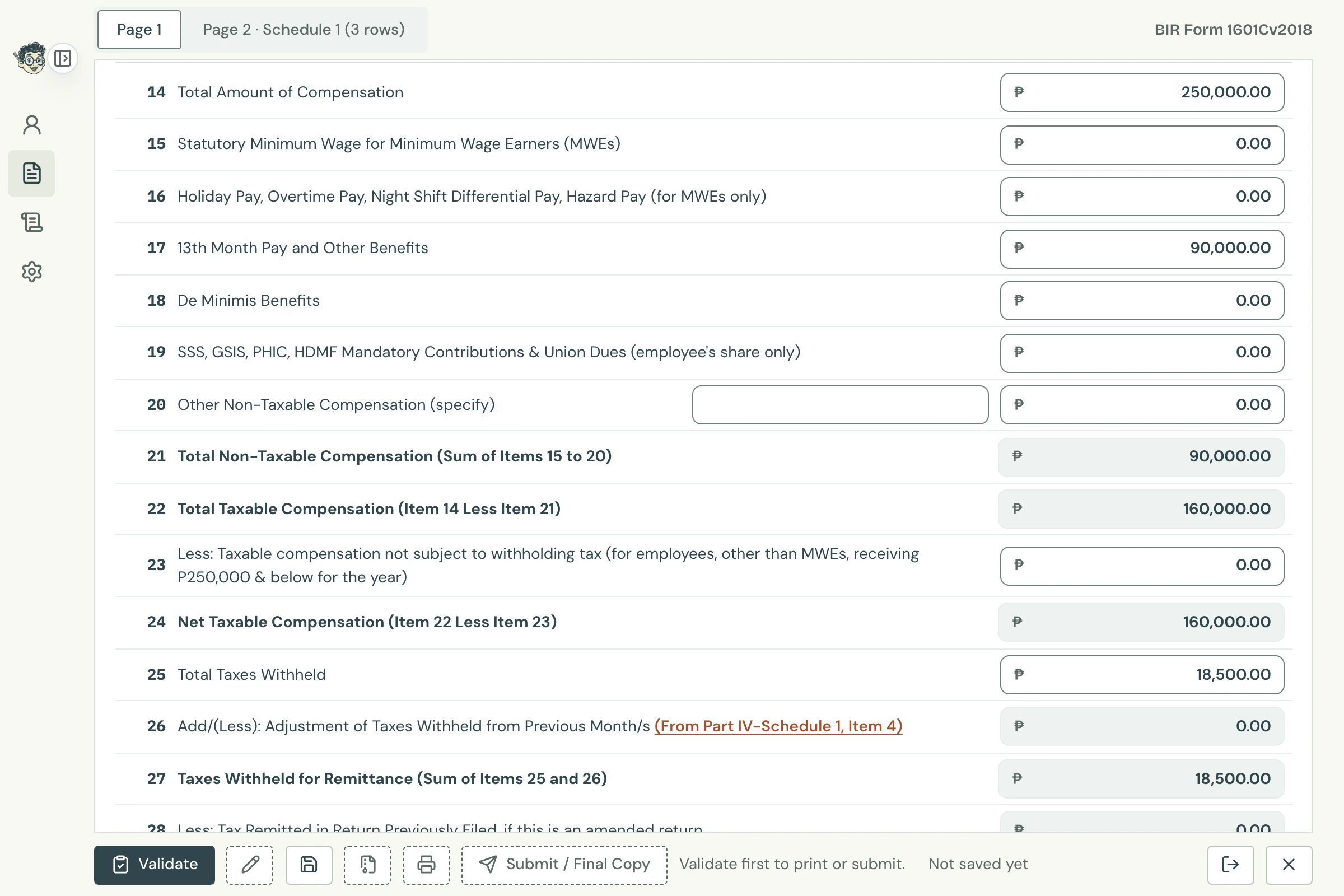
| II. Computation of Tax | 14–24 | The month's total compensation (Item 14), then its non-taxable parts: minimum wage earners' pay (Items 15–16), 13th month pay and other benefits (Item 17), de minimis benefits, small benefits the law exempts from tax (Item 18), mandatory contributions (Item 19) and others (Item 20). Item 23 is the taxable compensation of employees, other than minimum wage earners, earning ₱250,000 or less for the year. Tax Techie works out the totals (Items 21, 22 and 24). |
| II. Computation of Tax | 25–36 | The tax withheld (Item 25) and any adjustment from earlier months (Item 26, from Schedule 1). If this amends a return, what was already remitted (Item 28) and other remittances (Item 29). Penalties, if late (Items 32–34). Tax Techie works out the totals, down to the amount still due (Item 36). |
| III. Details of Payment | 37–40 | How it was paid: cash or bank debit memo, check, tax debit memo, or another way. |
| IV. Schedule 1 | Page 2 | Adjustments for earlier months: for each, the month, the date paid, the bank, the tax paid and what it should have been. Its total goes to Item 26. |
Filing it in Tax Techie
-
On the taxpayer's page, click New return, type
1601C, and choose 1601Cv2018. -
Choose the month and type the year (Item 1). Answer Items 2 and 3, and choose Private or Government in Item 11.
Return period and background information Open full size -
Fill in Part II: the total compensation (Item 14), its non-taxable parts (Items 15–20) and the tax withheld (Item 25). Tax Techie works out the totals as you go.
Computation of tax Open full size -
Click Validate, then Save, then send it with Submit / Final Copy.
Messages for this form
Tax Techie shows BIR's Offline eBIRForms messages word for word. The ones you're most likely to see:
| Message | What to do |
|---|---|
Please select an option for Item 3. |
Answer Item 3, Any Taxes Withheld?: Yes or No. |
Please select an option for Item 11. |
Choose Private or Government in Item 11. |
Invalid amount in Item no.14. Value must be greater than zero(0). |
Item 3 says tax was withheld, so enter the month's total compensation in Item 14. |
Invalid amount in Item no.25. Value must be greater than zero(0). |
Item 3 says tax was withheld, so enter the tax withheld in Item 25. |
Invalid month. Month should not be later than the current month. |
A return can't be for a month that hasn't started yet. |
Please file using the old version of the form. |
1601Cv2018 is for 2018 onwards. Earlier months use the old version, in BIR's Offline eBIRForms. |