All guides
Credits: buy them and send returns
How credits work in Tax Techie: one sends one return, used only once it reaches the BIR server. How to buy them, and what on hold means.
Last checked November 21, 2026
A credit sends one return. It is used only once the return reaches the BIR server. Credits belong to a workspace, and everyone in it who may send returns uses them. A workspace has two kinds: plan credits, which its plan gives every month, and extra credits, which you buy.
While filing is free
Filing is free: a return you send uses no credit, even with none left, and credits can't be bought. The app says Filing is free where it would name whose credits pay. Credits a workspace already has stay, and a credit already on hold for a return stays on hold for its 7 days.

What if filing stops being free while I'm sending? If credits are switched on after the app showed Filing is free and before the send, the app sends nothing and says Filing is no longer free, so this return wasn't sent. Click Submit / Final Copy again to see what it uses.
A return sent free can still be sent again free within its 7 days, even once credits are switched on.
Your credits
The workspace's Overview shows the credits available and any on hold (its Credits tile), and when the plan's credits refill. The owner and staff with Billing also see them on the Billing page's Credits tab: the plan credits left of the plan's number, the day they refill, and the extra credits.
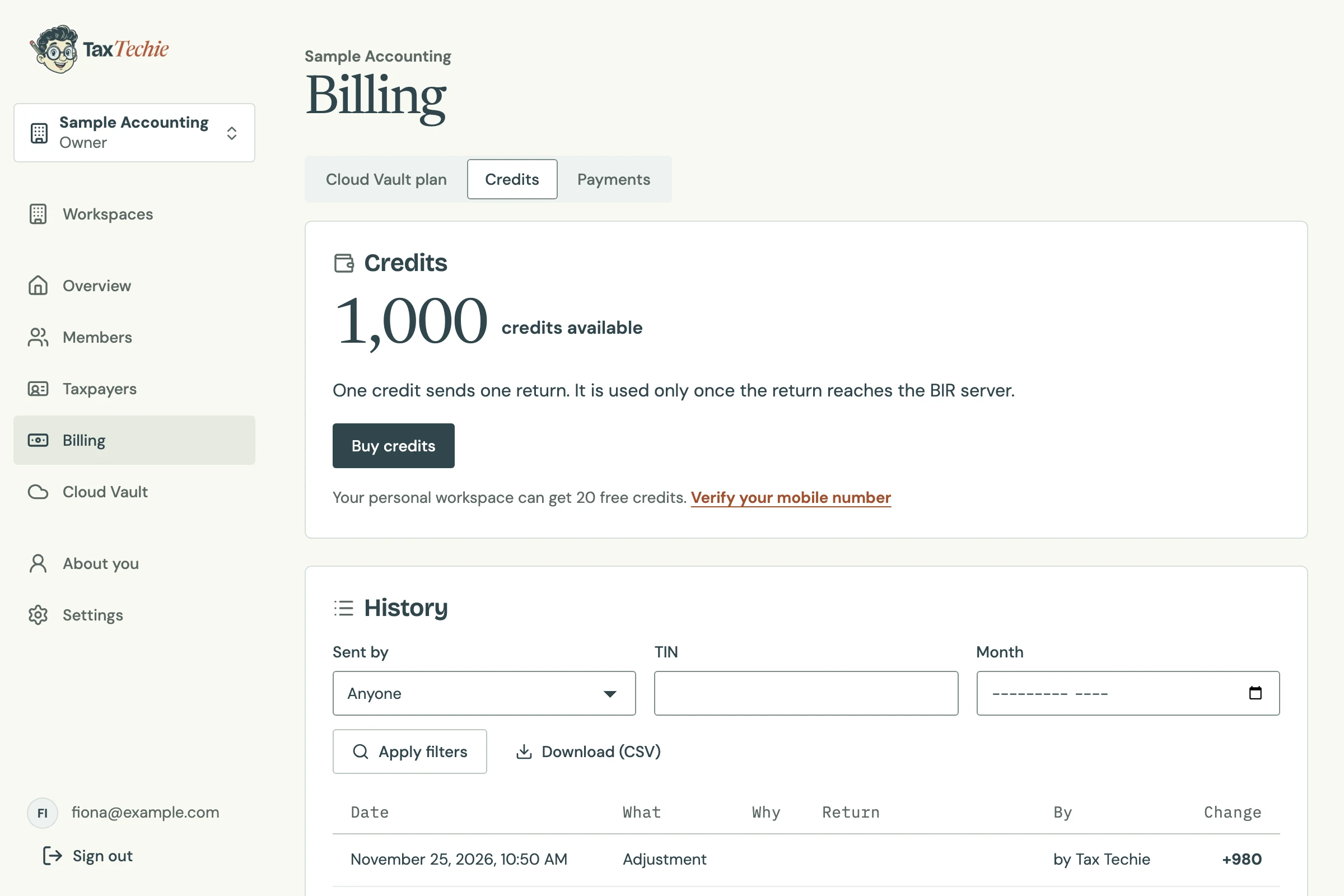
Plan credits
Every plan gives credits each month: Free once you verify your mobile number, and each paid plan its own number (see Pricing). On the plan's billing day each month they refill to the plan's number, a yearly plan's too. They don't carry over: plan credits left at the refill end with their month. A plan that ends takes its plan credits with it.
Extra credits
Extra credits are bought, never expire, and the refill doesn't count them. A return uses the plan's credits first, then extra credits.
Buy extra credits
You need to be the workspace's owner, or have the Billing permission.
- On the Billing page's Credits tab, choose Buy extra credits.
- Choose how many, and Get payment link beside them.
- Choose Pay to open the secure payment page, and pay with GCash, Maya, a card or online banking.
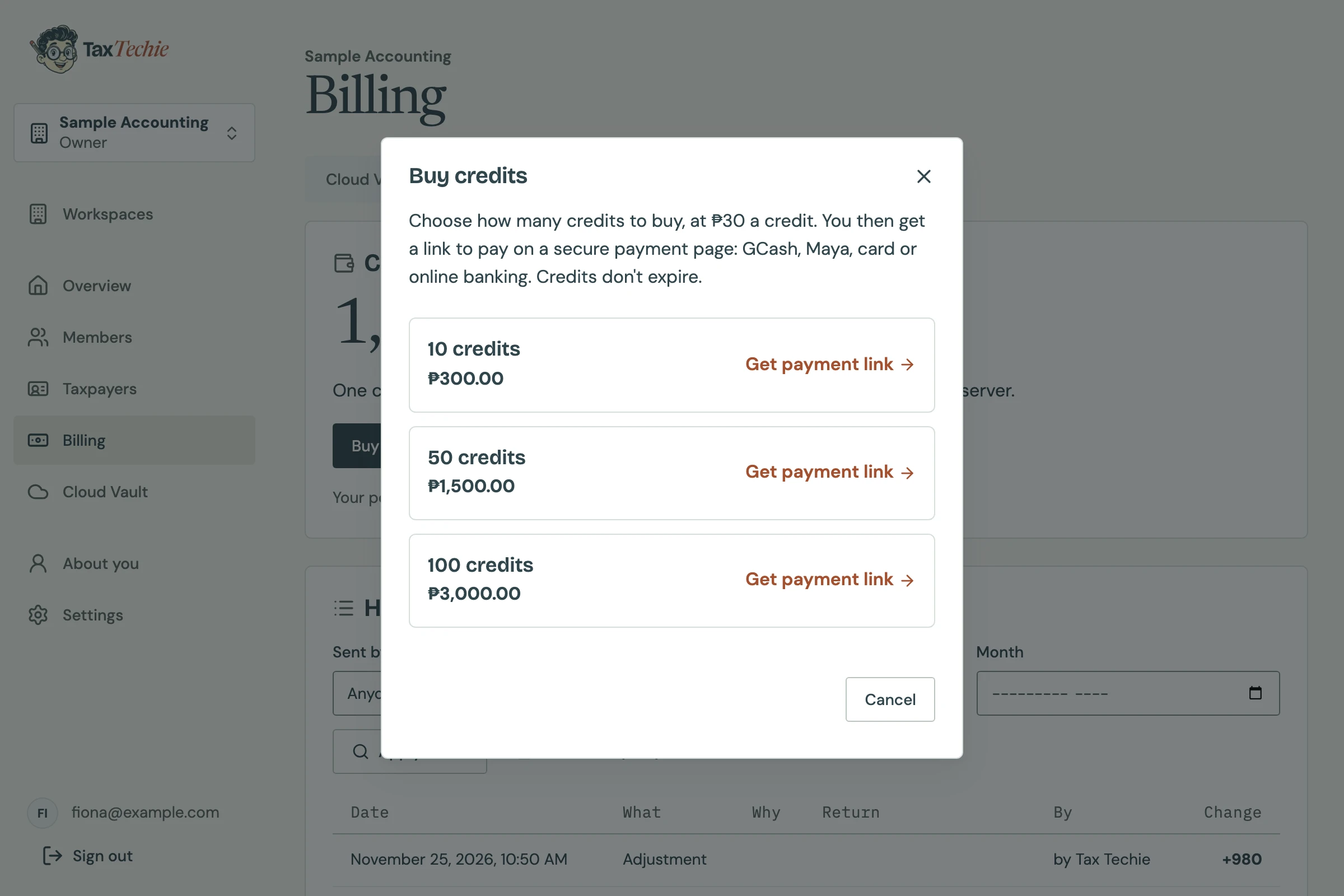
When the payment arrives, Tax Techie says Payment confirmed. and adds the extra credits. If you paid but don't see them yet, choose Check payment. Extra credits never expire.
Each purchase is listed on the Billing page's Payments tab, with a receipt to print.
A workspace that isn't paid for can't buy credits or use them. Its extra credits stay, and can be used again once its plan is paid for; a credit on hold goes back to available after its 7 days, as usual.
What happens when you send a return
When you choose Submit / Final Copy in the app, signed in to a workspace:
- The app checks the workspace has a credit, then puts one on hold for this return: a plan credit first, else an extra credit.
- It sends the return. See Submit / Final Copy.
- If the return reached the BIR server, the credit is used:
1 credit used.If it didn't, the credit goes back to available, and nothing is charged. If it was a plan credit and its month has ended meanwhile, it doesn't come back: it ended with its month.
Why is a credit on hold? When Tax Techie can't yet confirm that a return reached the BIR server, its credit stays on hold for 7 days rather than being used. Check the taxpayer's email for BIR's confirmation, as the result message says.
With no credits left, the app sends nothing, says when the plan's credits refill, and offers Buy extra credits to the owner and staff with Billing.
The history
History lists every change to the workspace's credits: the plan's credits for each month, plan credits that ended with their month, extra credits bought, put on hold, used for a return, hold released. Each send names the return, the TIN and who sent it. Filter it by who sent, TIN or month, or choose Download (CSV).
Questions
Is there a subscription?
Not to file. Your personal workspace is on Free, with credits each month once you verify your mobile number and a Cloud Vault, and staff join free. A paid plan gives more credits each month and more Cloud Vault space; it is paid by the month or the year and renews automatically until you cancel it, and another workspace needs one. See Cloud Vault and Workspaces and your staff.
Do unused plan credits carry over?
No. On the billing day the plan credits go back to the plan's number. Extra credits stay as they are.
Does a return that wasn't sent use a credit?
No. A credit is used only once the return reaches the BIR server.